Summary:The common situation of Chrome bookmarks disappeared issues generally are upgrading to Windows 10 or update to the latest Chrome browser itself. For this reason, we may lose all of our favorite websites. How to fix this issue? This article will offer
Summary:SD card not showing up or working on Windows 7/8/10 or your media device? Relax! In this article, we will introduce effective ways to fix the error and recover the data from the SD Card if data loss happens.
Summary:In this page, we would like to introduce you a reliable iPad data recovery software which you can always count on. Then shows you how to recover data from iPad with it step by step.
Summary:If you deleted or lost important photos on Android phone due to false operation,don’t worry.In this page, you'll find ways to recover deleted photos from android with a powerful Android data recovery software - Bitwar Data Recovery
Summary:Have you ever accidentally deleted messages, photos, or videos, etc. on your phone? How to recover deleted files on android without a computer? This article will offer you an Android OS based APP that allows you to recover files on Android phone witho
Sometimes, unexpected data loss disasters may happen due to different reasons. So how to recover deleted videos on Android phone internal memory or without a computer? This article will give you an answer.
How to Recover Deleted Videos on Android?
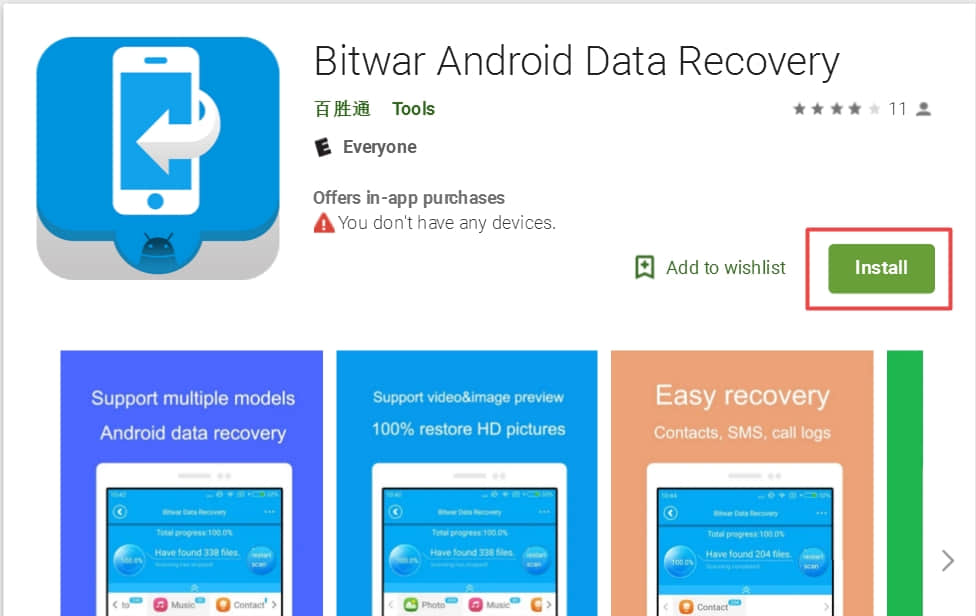
Don't panic! You can recover deleted videos on Android phones. In Android phones, the deleted videos are still saved on the internal storage, and they just marked as useless and could be overwritten by new data. So if you want to have deleted videos restored, please stop using your phone. Then use the phone data recovery tool: Bitwar Android Data Recovery to help you find all the deleted videos on Android. It allows you to recover media files like videos using only the Android phone, without involving a PC at all.
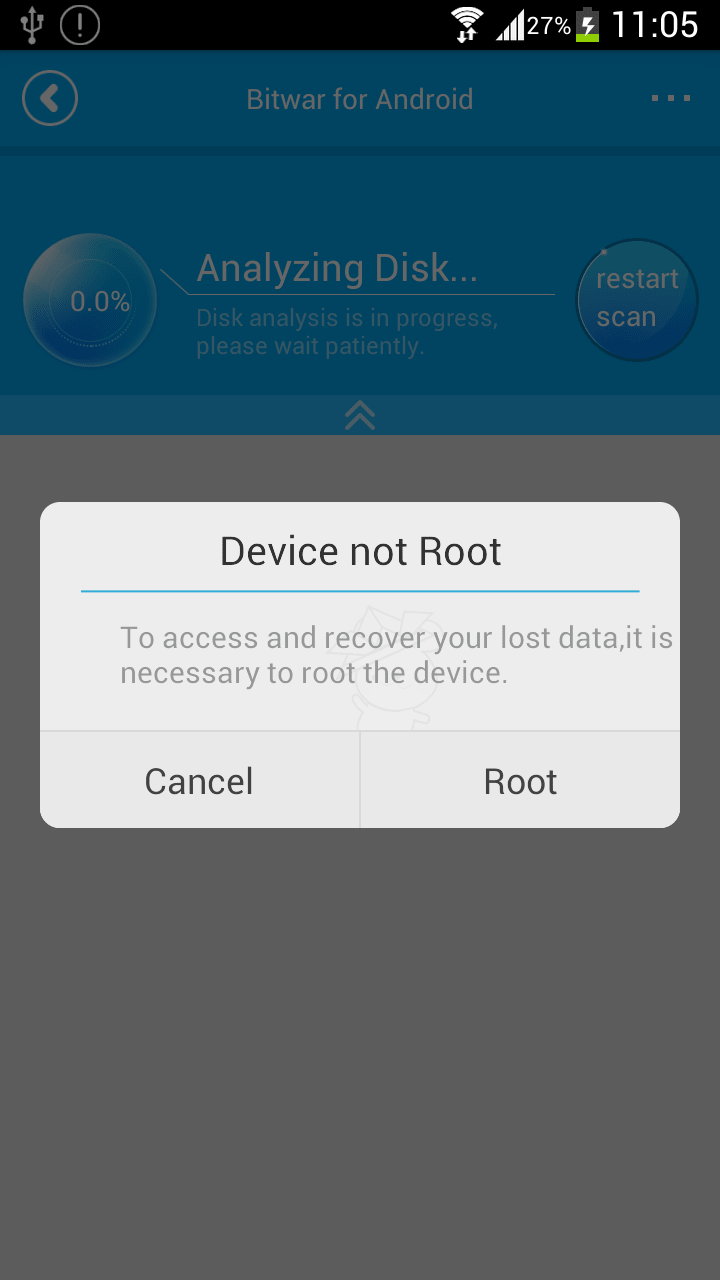
Step Two: Launch Bitwar Android Data Recovery Application, and if your phone does not contain a root, it will inform you to root the phone first. We can click root to download the root application.
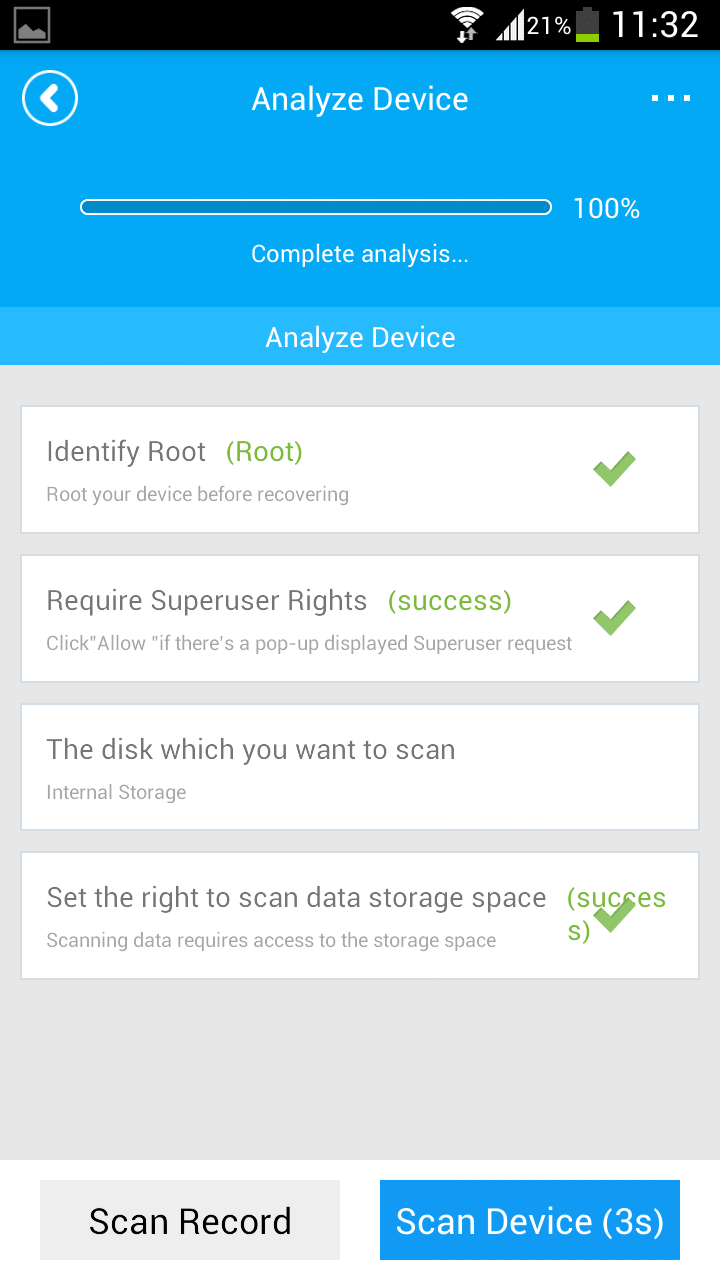
Step Three: After root, there's an "Analyze Device" window pops up before you go next with video recovery.
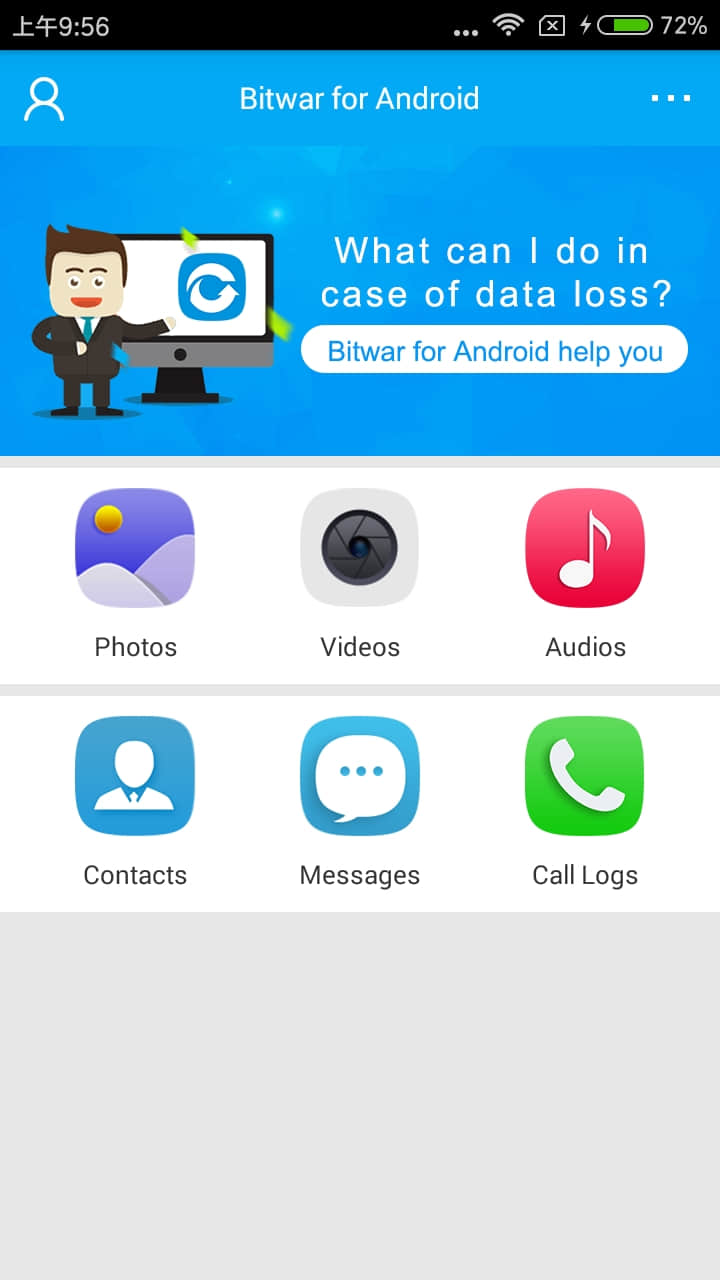
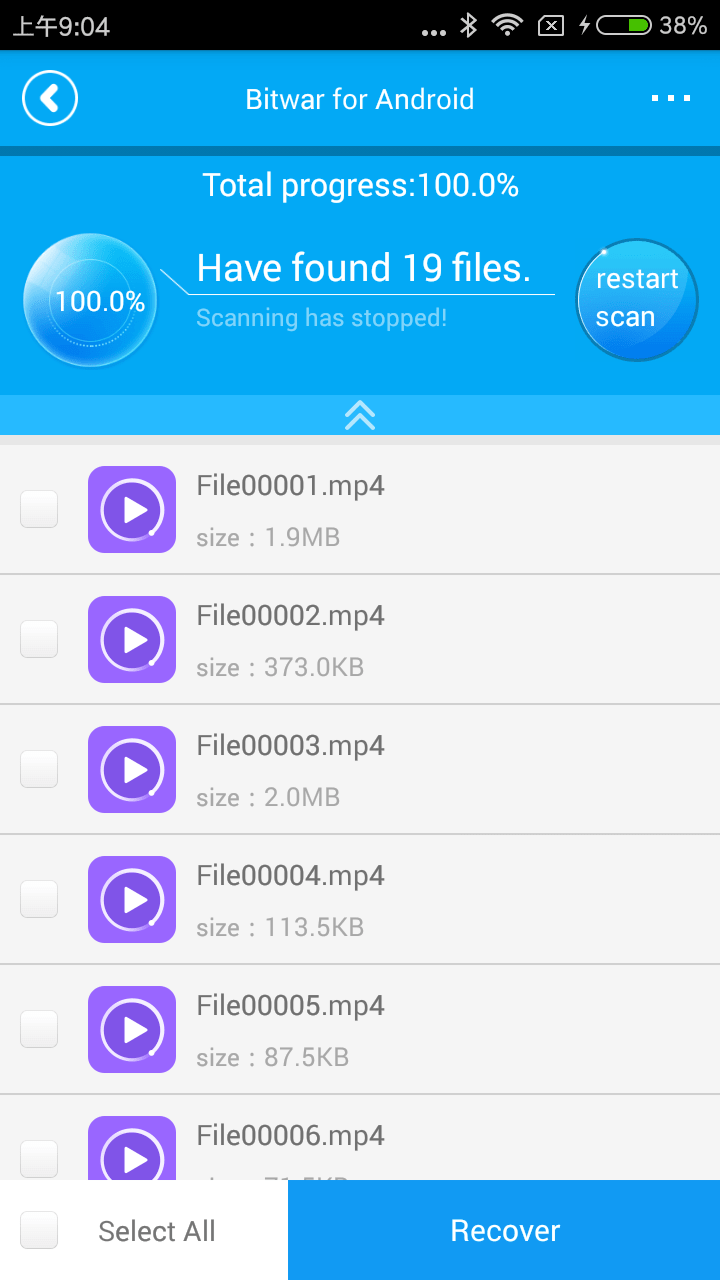
Step Four: Select Videos, the application starts to search the deleted videos on your phone. And you can see the videos are appearing on the window.
Step Five: Select what you need and click "Recover."
If you want to restore your deleted Android videos on your computer, you can try to apply the Bitwar Android Data Recovery PC version to get your jobs done.